
Use the player
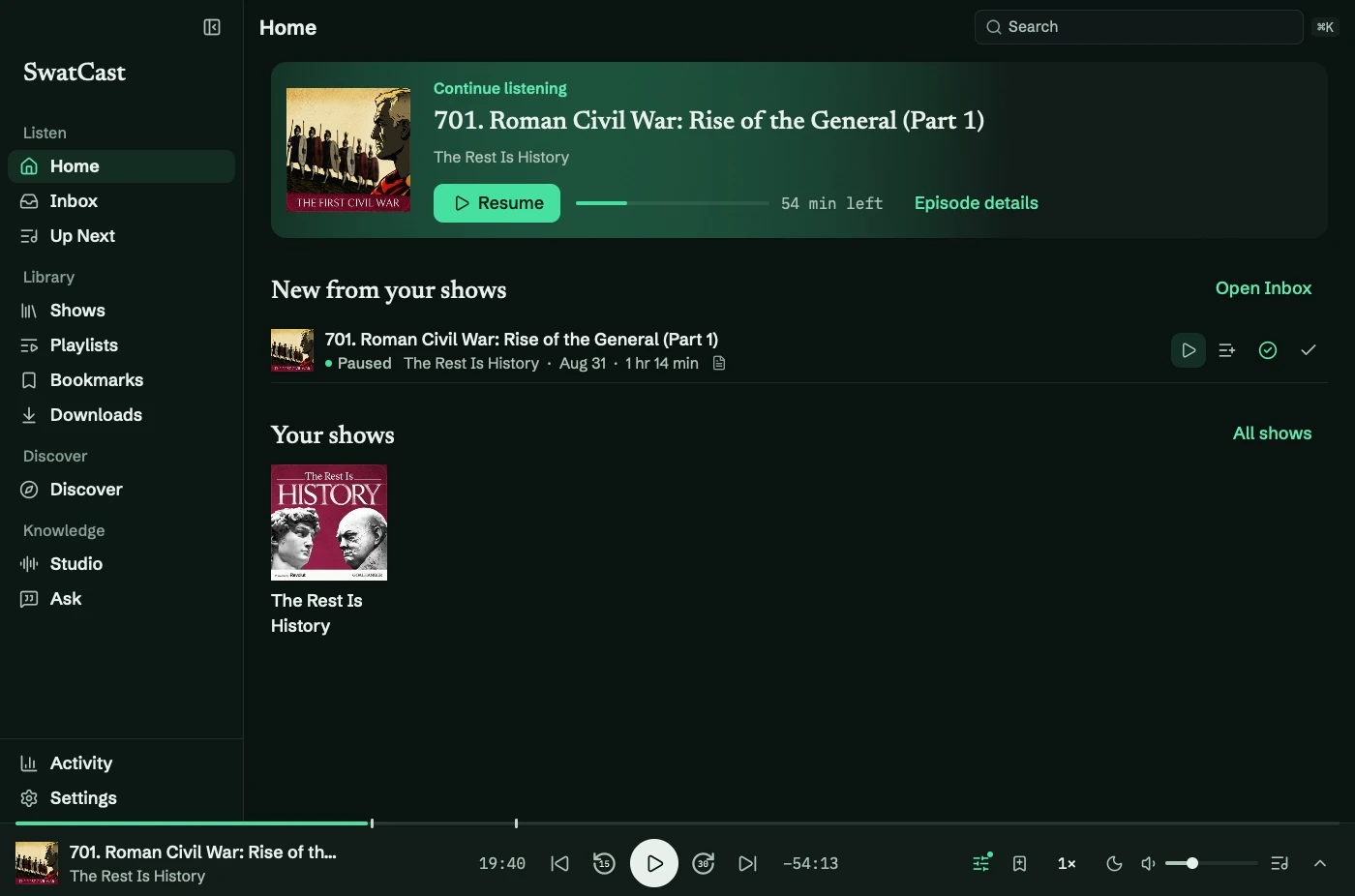
The player stays along the bottom of every screen, showing the current episode, progress, and controls.
Play and skip
Section titled “Play and skip”Use Space to play or pause outside text fields. Back and forward default to 15 seconds and 30 seconds; ← and → follow those amounts. ⌘← and ⌘→ switch episodes.
Set defaults under Settings → Playback and audio, or overrides in Show Preferences.
Media keys, AirPods, and Control Center also control playback. Headphone next/previous actions use the show’s skip amounts.
Seek and resume
Section titled “Seek and resume”Hover the scrubber for a time, drag to preview, and release to seek. Bookmarks appear as marks; chapters add boundaries with titles on hover.
SwatCast remembers your position after quitting. Playback prefers a downloaded file and follows the output selected in macOS.
Open more controls
Section titled “Open more controls”Select the episode title or press ⇧⌘P for Now Playing. The rail also has Sound, bookmarks, speed, sleep timer, volume, and Up Next.
For silence or unexpected skips, see audio troubleshooting.