
Shorten pauses with Silence Skip
Silence Skip shortens pauses. It is not ad skipping. Searching for skip ads usually means this page: advertisements are left in the episode. There is no automatic ad removal in SwatCast.
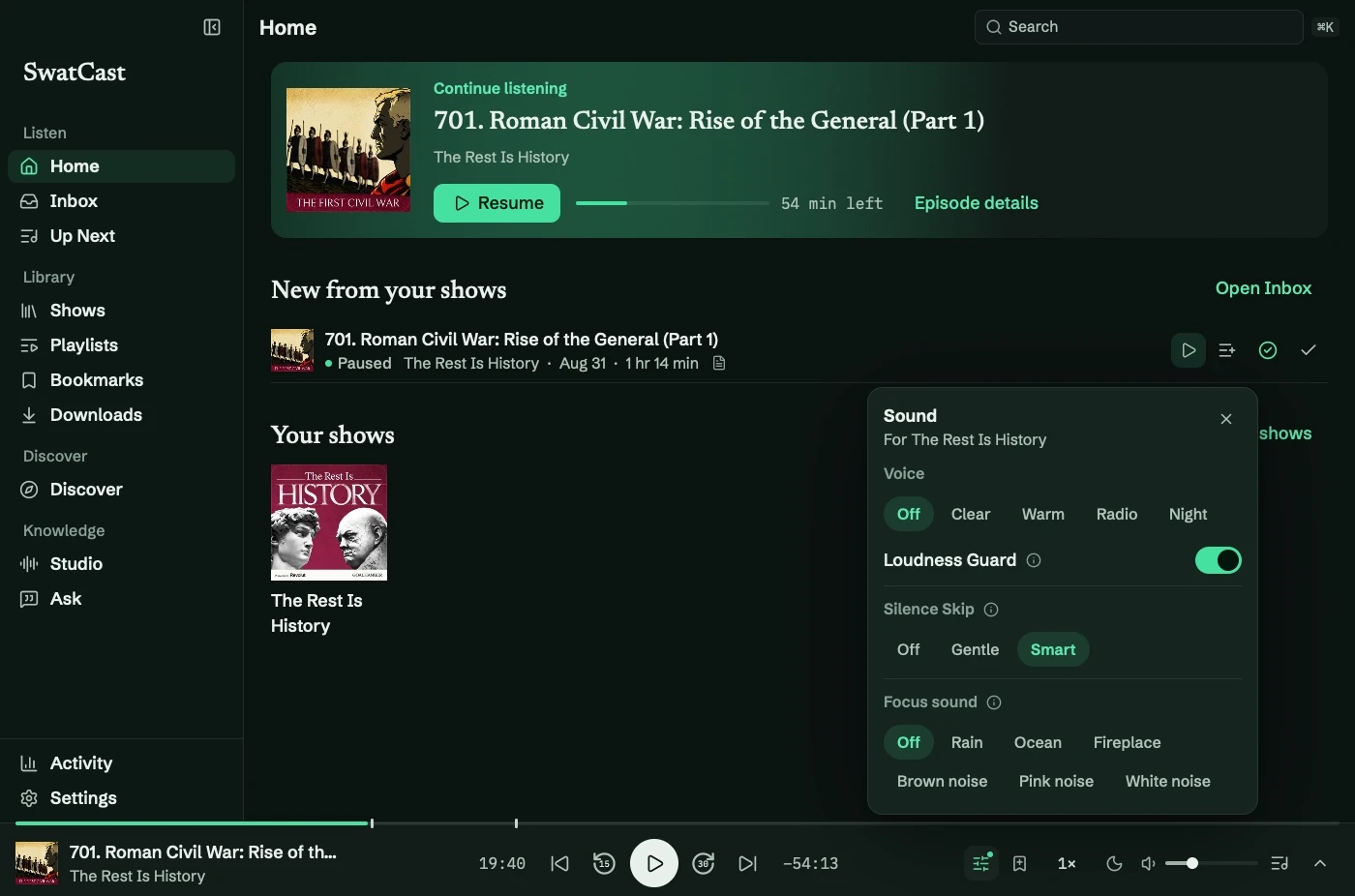
The three settings
Section titled “The three settings”Open Sound on the rail, or Settings → Playback and audio → Silence Skip.
| Setting | What it does |
|---|---|
| Off | Original timing |
| Gentle | Shortens unusually long pauses and keeps natural pacing |
| Smart | Shortens every noticeable pause |
Quiet speech is not cut. Music and other tonal sound is kept even when it is quiet. A long pause keeps its beginning and its end, including the decay of the last word and the breath before the next, and loses the middle. The joins are faded so they do not click.
The scrubber moves ahead by the audio that was removed. It does not show a moment you never reached. Now Playing can show the time saved in the episode. Activity can show the week’s total and the all-time total, and that line can be hidden.
What you should hear
Section titled “What you should hear”On a tightly edited conversation, Gentle can save nothing, because no pause was long enough. That is a successful result, not a broken switch. Smart saves more, and shows with long pauses save more than either number on a tight edit.
Silence Skip runs on the audio after speed, voice, and Loudness Guard. Changing those does not turn it off.
Per show
Section titled “Per show”The Sound panel’s choice is remembered for the show that is playing. Reset restores the defaults. Use for all shows makes the current sound, including Silence Skip, the default. Show Preferences has its own Silence Skip row, which starts as Default and can be set back.
If a show goes silent or jumps in a way you did not want, set Silence Skip to Off for that show and listen again. See When audio is wrong.