
Set Show Preferences
Open a show and select Show Preferences. Each setting starts as Default, inheriting the value from Settings. Changed rows are marked and can be reset.
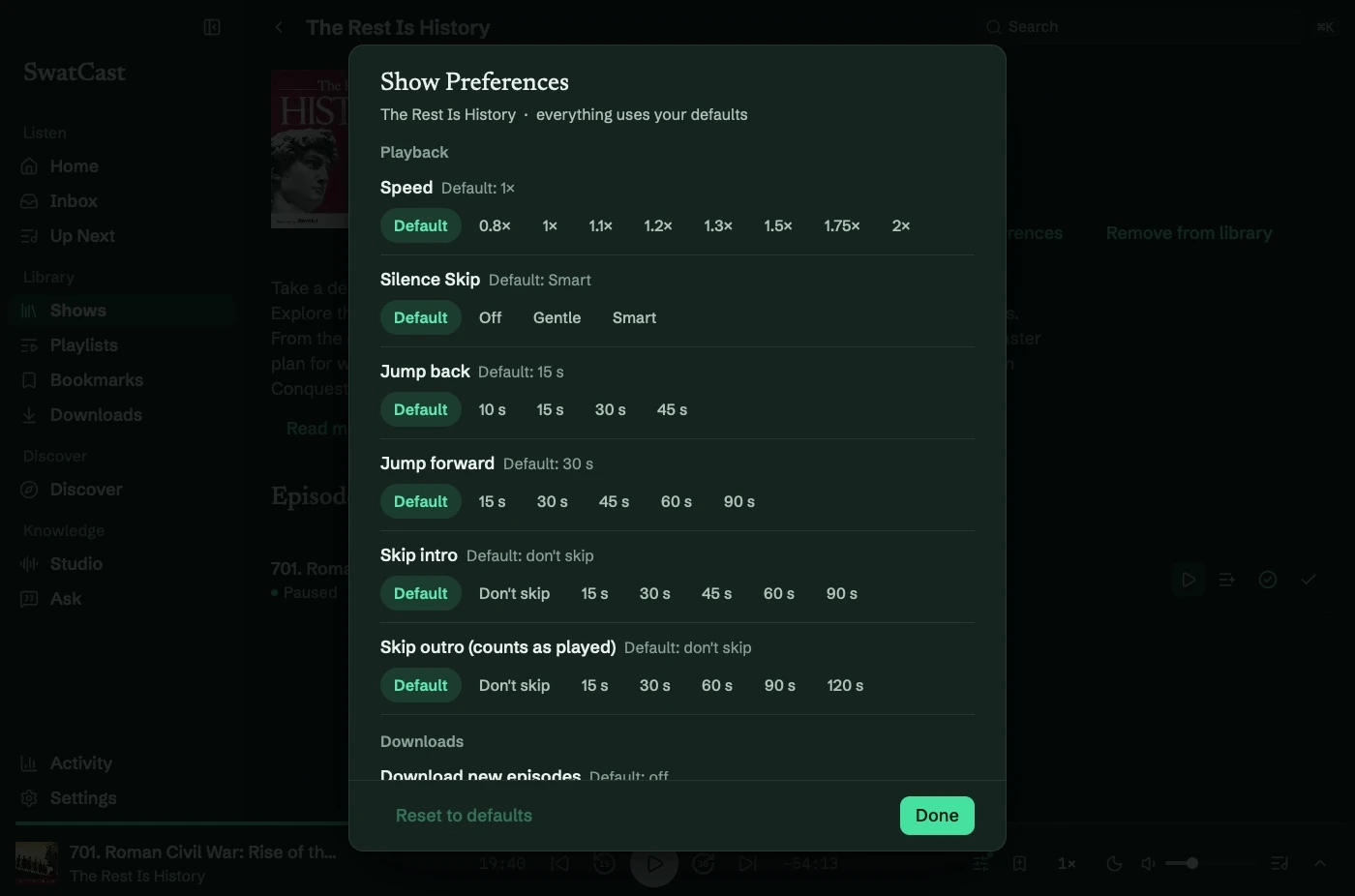
Playback
Section titled “Playback”Override speed, Silence Skip, back/forward skip amounts, and intro/outro skips for this show. Intro skipping runs at the start; Skip outro (counts as played) finishes the episode near its end.
Speed and skips lists the speed and jump options. Sound overrides can be cleared with Use default sound.
Downloads and new episodes
Section titled “Downloads and new episodes”For followed shows:
- Download new episodes: Off, or the newest 1, 2, 3, or 5 unplayed episodes.
- Remove played downloads: inherit the default or choose a cleanup interval.
- When a new episode arrives: Inbox only, Add to Up Next, or Play next.
Inbox only is the default. Queue options change Up Next.
Notifications and private feeds
Section titled “Notifications and private feeds”Enable global new-episode notifications first, then choose Notify me for this show. See Notifications.
The Private feed section holds privacy and password controls. See Private feeds.