
Sound
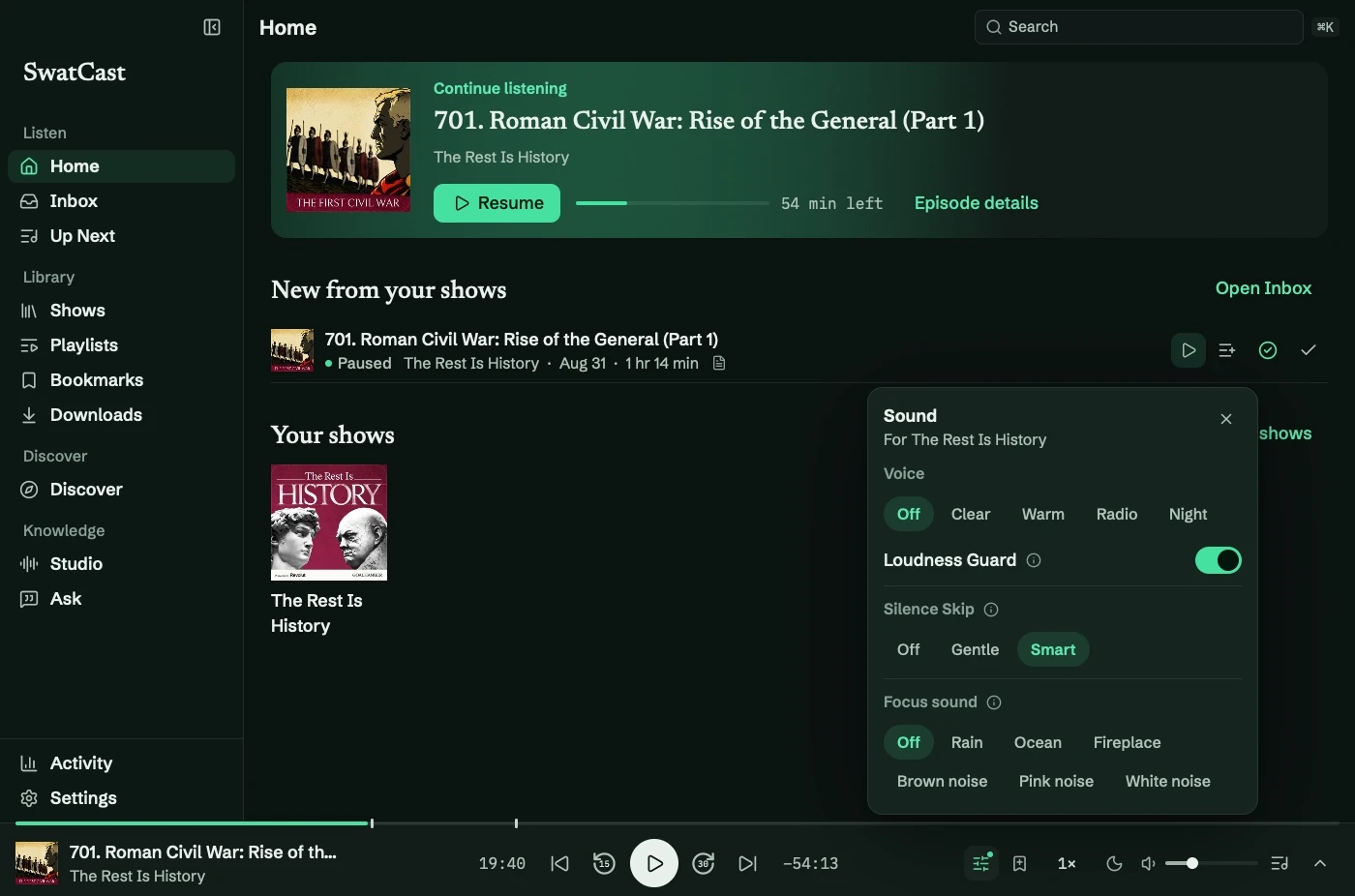
Open Sound on the player to adjust the current show. Settings → Playback and audio sets defaults.
Voice profiles
Section titled “Voice profiles”Profiles are loudness-matched, changing tone and dynamics without simply making everything louder.
| Profile | Effect |
|---|---|
| Off | Original sound |
| Clear | Reduce rumble and boxiness; lift muffled consonants |
| Warm | Fuller lows and softer harsh highs |
| Radio | A soft vintage tone with muted highs and deep bass |
| Night | Strong compression and reduced bass for quiet listening |
Loudness Guard and focus sounds
Section titled “Loudness Guard and focus sounds”Loudness Guard reduces loud passages and peaks without boosting quiet audio.
Choose Rain, Ocean, Fireplace, or brown, pink, or white noise beneath an episode. A slider sets the level. Sounds are generated locally without recordings or repeating loops. Settings previews a selected sound briefly when playback is stopped.
Per-show settings
Section titled “Per-show settings”Reset returns the show to defaults. Use for all shows makes the current voice, guard, Silence Skip, and focus sound the defaults.
Use defaults everywhere, under Settings → Playback and audio → Per-show sound, clears overrides. A single show also has Use default sound in Show Preferences.
No AI model is required. See Silence Skip for pause controls.